Etsy Automation Made Simple
Automate your daily eCommerce operations on Etsy with ease. Gain access to advanced tools designed to simplify management and accelerate your store’s growth.

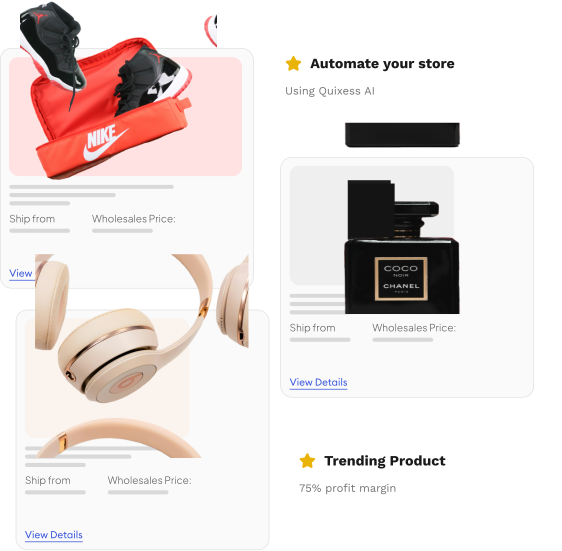
Maximize Profits by Selling Best-Selling Products on
Leverage Quixess’s Etsy integration to seamlessly bring a wide selection of premier products directly into your online store. Specializing in trending and high-demand items, our platform makes selling to customers across the globe effortless. The advanced Quixess Etsy App gives you powerful tools to sync product listings, manage orders efficiently, and track shipments - ensuring every buyer enjoys a smooth shopping experience.
Step 1
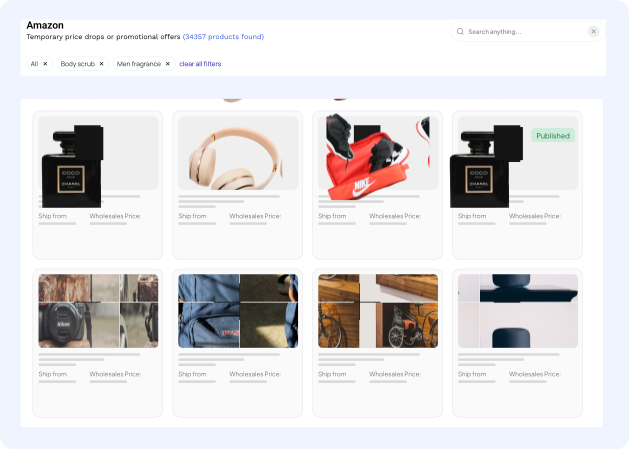
Choose products
Link your Etsy store with Quixess in just a few simple steps, then start adding products to your list. From your Quixess account, explore a wide range of products and choose what you want to sell. You can add individual items, entire categories, or even bulk listings. You can also add or remove products anytime - and your Etsy store will automatically stay in sync.
Benefits of Integrating your Etsy Store with Quixess
Take advantage of our special partnership incentives designed to accelerate your success on Etsy.
Lightening Fast Setup
Get your store running in under 5 minutes with our one-click integration
Trusted Suppliers
All suppliers are vetted and verified for quality and reliability.
Global Shipping
Ship worldwide with automated tracking and customer notifications.
Real-time Analytics
Track performance, profits, and trends with detailed
Automated Fulfilment
Orders are processed automatically without any manual work.
Secure Payments
Accept payment securely with built-in fraud protection.
Elevate Your
E-commerce Business
No credit card required
Access cutting-edge tools and dedicated support for free
Shape the future of Quixess
Your feedback directly influences our roadmap
One tool-Multiple e-commerce stores
Sign up today!
Everything you need to know about joining Woocommerce
Get answers to the most common questions about our partner program, benefits, and getting started with your Shopify store.
Yes. You can connect multiple suppliers at the same time, such as TopDawg, Kole Imports, Morris Costumes, or FragranceX. Each supplier has its own credential and feed configuration in Quixess. You can activate or pause suppliers individually for flexibility and testing.
Yes. Quixess automatically updates product prices, stock levels, titles, descriptions, and images from your suppliers. You can choose to lock or skip certain fields if you’ve customized them in WooCommerce.
Yes. You can filter and select products before import based on criteria such as category, brand, price range, profit margin, or keywords. Only the products you approve will be published to your WooCommerce catalog.
Yes. When a customer places an order on your WooCommerce store, Quixess can automatically forward the order to the corresponding supplier with customer details and SKUs. Each supplier integration supports different routing methods, including FTP, API, or email.
Tracking updates are automatically synced from the supplier to WooCommerce. Once the supplier ships the order, Quixess retrieves the tracking number and updates your WooCommerce order. Customers receive the tracking email if you have email notifications enabled.
Yes. You can assign specific suppliers to product categories. For example, you might source “Beauty” products from FragranceX, “Costumes” from Morris Costumes, and “Electronics” from Kole Imports.
Yes. You can modify titles, descriptions, SEO metadata, tags, and other product details before publishing them to WooCommerce. Quixess allows you to lock edited fields so supplier updates do not overwrite your customizations.
Yes. Quixess supports multiple shipping providers. It uses each supplier’s shipping details (FedEx, UPS, USPS, DHL, etc.) and merges them into your order updates. You can also define your own shipping rules or overrides per supplier.
Yes. You can define flexible pricing strategies, including fixed percentage markups (e.g., +15%), fixed amount markups (e.g., +$5), MAP (minimum advertised price) compliance, and profit margin targeting (e.g., maintain 20%). Pricing rules can be set per supplier, per category, or per product type.
Yes. Quixess imports all product images, including main and gallery images. You can choose to automatically update images when suppliers change them or keep your existing custom images.
Yes. Quixess continuously synchronizes inventory levels between your suppliers and WooCommerce stores. When a supplier runs out of stock, the product is automatically marked “Out of Stock” or disabled in your store.
Yes. You can edit product data in WooCommerce anytime after import. Your changes are preserved unless you enable automatic overwrites for specific fields.
Tracking is automated. When a supplier ships an order, Quixess retrieves the tracking number and automatically updates the corresponding WooCommerce order.
Orders sync automatically. When a customer places an order on WooCommerce, it’s transmitted to the appropriate supplier through Quixess.
Yes. Product variants (e.g., size, color, material) are fully supported. Quixess preserves variation data from suppliers and syncs them to WooCommerce variations.
By default, Quixess syncs every 60 minutes. You can customize this interval or trigger an immediate sync manually from your dashboard.
Yes. Quixess allows you to bulk publish products directly from your dashboard. You can use filters and batch settings to manage large product catalogs efficiently.
This feature is under development. The upcoming version will support automated supplier return labels and refund synchronization between suppliers and WooCommerce.
No. Quixess does not overwrite your existing WooCommerce data unless you explicitly enable updates for that field. You maintain complete control over what gets updated.
Go to Quixess → Marketplaces → WooCommerce. Click Connect Store. Enter your store URL and approve the OAuth connection. After connecting, Quixess automatically detects and syncs your catalog.
Yes. You can connect multiple WooCommerce stores to a single Quixess account. Each store can have its own supplier configurations and pricing rules.
Yes. All communication between Quixess and WooCommerce is secured using HTTPS and OAuth 2.0. Credentials are encrypted with AES-256, and Quixess never stores customer payment information.